
When Time Moves On: macOS Warns “Disk Not Recommended for Backups” with AirPort Time CapsuleDisk Not Recommended for Backups

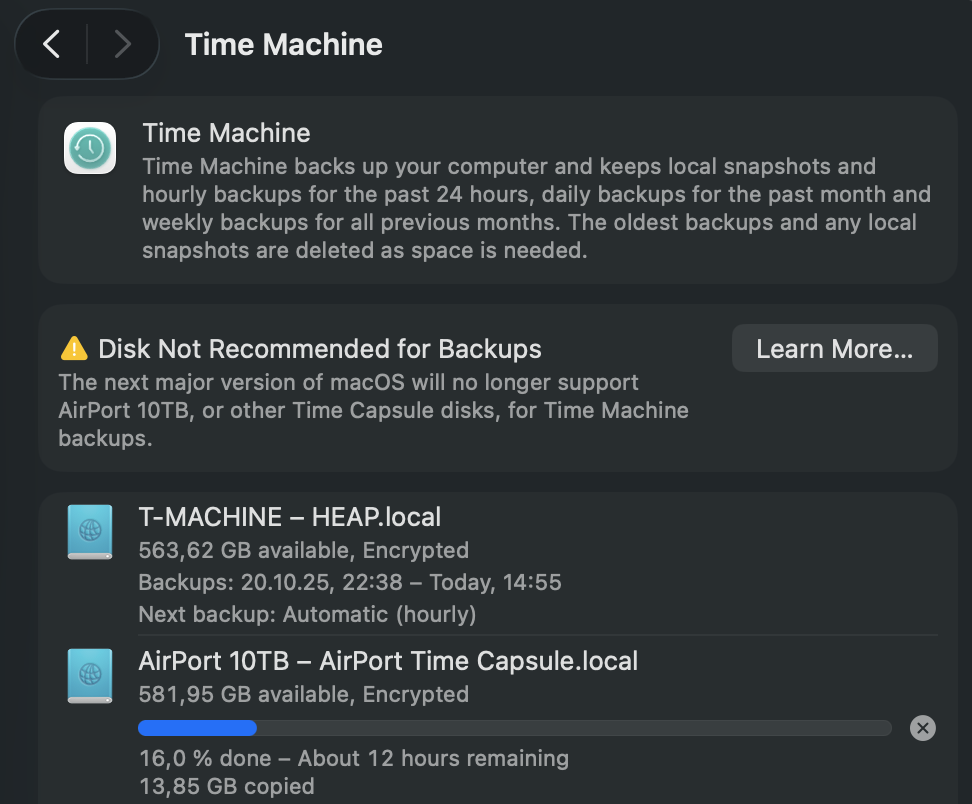
It finally happened — my trusty old AirPort Time Capsule got flagged by macOS. While using Time Machine, I noticed a new warning: “Disk Not Recommended for Backups.”

At first, it seemed odd — the Time Capsule has been the gold standard for Mac backups for over a decade. But a closer look at Apple’s documentation (and network logs) revealed the cause: the Time Capsule still uses AFP (Apple Filing Protocol) to communicate with macOS.

Starting with macOS Sonoma and continuing into macOS Sequoia, Apple has been moving steadily toward deprecating AFP in favor of SMB (Server Message Block) — the same protocol used broadly in modern network file sharing. While AFP worked perfectly for years, it’s now considered outdated, less secure, and incompatible with new Time Machine optimizations that rely on APFS and SMB3 encryption.

In short:

  • AFP volumes still work, but trigger warnings in System Settings.
  • SMB-based targets (for example, a modern NAS or external drive) are the officially supported backup destinations.
  • Apple retired the AirPort line years ago, so firmware and protocol updates simply won’t come anymore.

It’s a nostalgic reminder that even reliable Apple hardware eventually ages out of full support. My Time Capsule still spins and serves, but macOS has clearly signaled: time to move on to a modern backup strategy — like an SMB-capable NAS or an external drive formatted as APFS.

Even I have switched most of my Time Machine targets to high‑speed SSDs, some connected directly and others shared via my QNAP NAS, which serves them seamlessly to my Mac mini. That mini still runs on an M2 chip — though not for long. In just a few days, it will be replaced by a shiny new M4 model, closing yet another chapter in my evolving Apple ecosystem.

(Below: Screenshot of the macOS Settings dialog showing the new AFP-related warning.)
Here is the link to the official Apple Support Page relating to this topic: „Backup disks you can use with Time Machine“

M1, M2, M3, More

This time I am checking options, how I can run a Windows setup on one of the recent Apple Macs with M processor. My notebook is a M1 MAX, but my Mac Mini is still an Intel model. Should I upgrade to Mac Mini M2? For that I found the following Blog quite informative:

https://communities.vmware.com/t5/VMware-Fusion-Documents/Running-Fusion-on-an-Intel-Mac-and-upgrading-to-an-M1-M2-Mac/ta-p/2888565

What you should consider, when trying to use VMware Fusion or Parallels on an Apple Mac with M core.

Outlook 365 unable to send email via IMAP anymore

Ok, so here we have a Windows 10 with Outlook 365 where an Linux email server account is configured (Postfix / Dovecot). Since around mid-October 2022 sending email fails. OK, I tried to adjust the submission ports (587, 465 …), but to no avail. Outlook either says that this authentication method is not supported, or, if you select „Auto“, that none of the available methods are supported. After doing some googleing, I came across a very short note that some recent security patches might be responsible.

The link says the following:

Workaround
remove patches:
win11: KB5018427
win10: KB5018410

Since I have Windows 10, I went to remove security patch KB5018410, did a reboot of the Windows machine, and voilá – Outlook was able to send email again.

To uninstall the patch, just search for „Windows Update“, select „Update History“, look for KB5018410 and delete that patch. Also hope, that Microsoft comes up with a resolution of that issue soon as I don’t want to miss a security patch only because it breaks Outlook 365.

Promo / Referral / Voucher Codes / Gutscheincodes

Lass dich einfach werben! Viele Anbieter ermöglichen es über einen Gutscheinecode das Win-Win-Prinzip zwischen einem Werber und dem Geworbenen herzustellen. Ich publiziere hier Promo-Codes, Vouchers, Referral-Codes -eben all das, was bei Annahme eines Angebotes dem „Neukunden“ einen Vorteil bietet. Schau einfach, ob was Passendes für Dich dabei ist.

AnbieterURLAktionGoodie / Promo / Was gibt es zu holen?
WiWin InvestWiWin Website „Kunden werben Kunden“

WiWin hat gerade das Crowdfunding für Lemonaid bearbeitet. Sehr solide Plattform!
50 EUR Bonus für den Neukunden bei Invest von mind. 500 EUR und Eingabe des Codes „7TN1RAKKIHEF
AMEX American Express PlatinumAMEX WebsiteFreundschaftswerbung

Noch keine AMEX Platinum Business? Dann wird es Zeit!
Für kurze Zeit 75.000 Membership Rewards für den Besteller einer AMEX Platinum Business!
(Aktualisiert 2.3.2024)
AMEX American Express GoldAMEX WebsiteFreundschaftswerbung

Noch keine AMEX? Dann wird es Zeit!
40.000 Membership Rewards für den Neukunden!

Ich werde diese Tabelle kontinuierlich pflegen. Bei Fragen per Mail melden!

QNAP VM and fixed IP address …

What a drama! I found no way to assign the Windows 10 VM host a fixed IP address inside the QNAP Virtualisation Station. I was excercising the virtual switch and software switch settings up and down – to no avail. Finally I found the reason of this treason: Since the Windows VM was migrated from Parallels Desktop (via Virtual Box) it still had two other network cards in its belly. Of course, they were hidden in the Device Manager. But as they had this one fixed IP address already configured, it was not possible to add it to the new VirtIO interface. Once I had made these two other network cards visible, I deleted them and – voilá – the fixed IP address now could be assigned to the VirIO interface without any trouble. Before, only DHCP would work. Maybe this information helps someone who is also trying to get a VM with fixed IP addresses set up in QNAP virtualisation station.

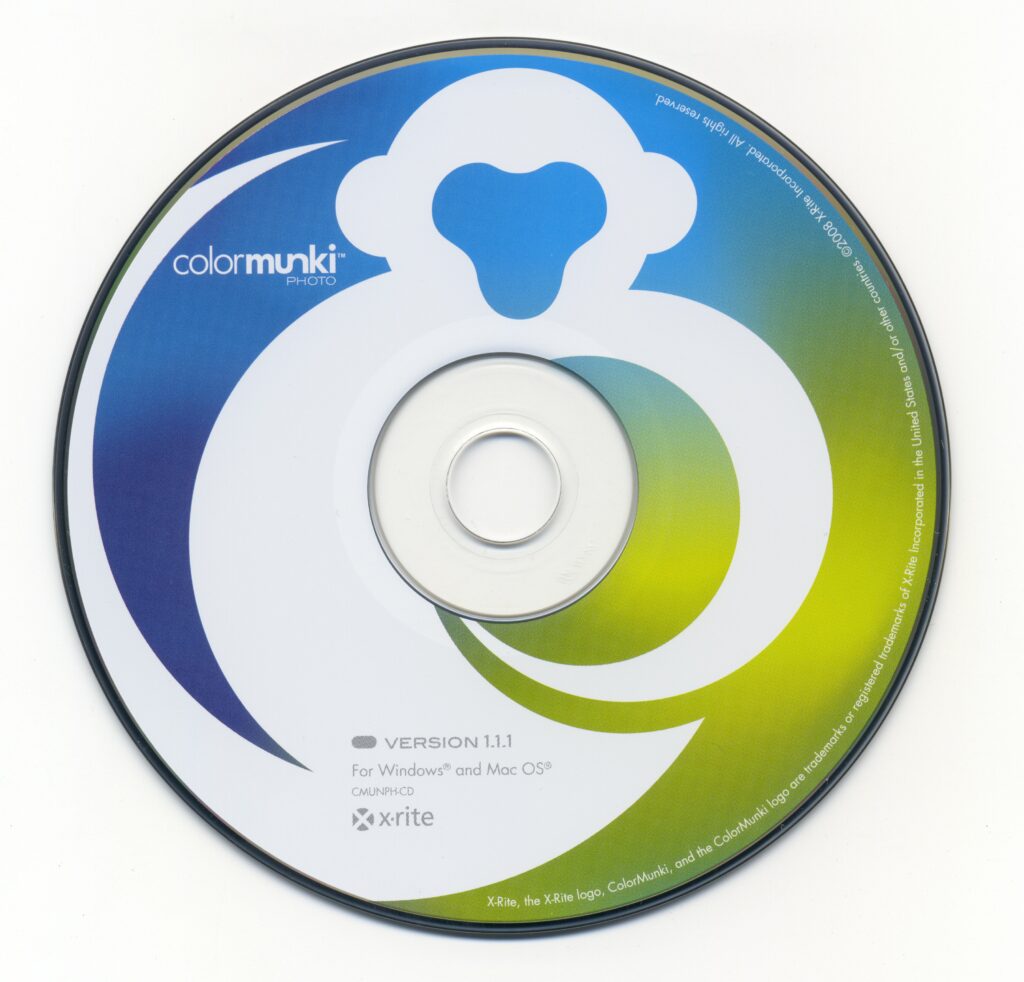
colormunki Photo CD for MacOS not readable

I wanted to make sure I still can install colormunki Photo from the original CD, which I own(ed). I use an external CD-ROM drive for that purpose. Here on my Mac OS Catalina, it wouldn’t work. The Finder wasn’t showing any CD, disc utility would show there is something on the CD, but it was not possible to mount it.

Source: INTERNET ARCHIVE

The occurring error was:
„Could not mount (com.apple.DiskManagement.disenter error 49153)“.
WTF!

So I tried google and came across the online Archive for the original CD:
https://archive.org/details/colormunki-photo-1.1.1-iso

The result was the same – same error, no success. So I was continuing my search and came across the following website which described the exactly same error and hinted on the possible reason:

Apple_HFS format may be the issue!“

And so it is – I connected my external CD drive to an older MacMini running Mac OS El Capitan. There was no problem in mounting the CD and copying the Mac OS install kit of colormunki photo from it.

Fritz.box or RFC1918 address not reachable – from Safari!

For quite some time my Safari wouldn’t connect to my internet gateway, which is a Fritz!Box 7590, running with the IP 172.20.20.254. No chance to get to the admin interface, even though it was no problem at all from other systems. I didn’t put any effort into it since I could always connect from my iPad. Strange enough, the Mac OS Safari wouldn’t even show an error, but only say it couldn’t connect as if the target was not available at all.

But today I thought better of it – and found a way to make it work. Ok, how did I get there? I first installed Mozilla Firefox, and this browser had no problem connecting to the internet gateway – it only showed a warning that this site uses a self-signed certificate which is not trusted. So I downloaded the certificate in the Firefox browser (clicking the lock sign and downloading the PEM formatted certificate). Then I started keychain access on my Mac and did the drag and drop of the PEM cert into the keychain. Just make sure that you have selected Keychains = System and Category = Certificates. Thus the Cert started to appear in keychain, I double-clicked it and changed the trust to „trust all“. Authorized the changes and then started up Safari again.

What happened? Safari now had no issue to reach the Fritz!Box admin page! Great, success!

Hacking the Whitebox from MacOS Catalina

I still had such a TP-Link router in my vaults which once contributed usage metrics to the SamKnows EU project. Since I don’t want to operate it any longer, I thought of changing the router firmware to either the original TL-WR1043ND or a DD-WRT firmware.

This link provides a great walkthrough how to get it done:

https://gist.github.com/Mag81/44097d9a54574a5b2ed8

Unfortunately it turned out that my MacBook doesn’t have telnet available anymore, after the upgrade to MacOS Catalina. Thus I had to install it first and chose to compile telnet from source for the MacOS Catalina:

Step-by-Step Installing telnet on MacOS Catalina. I chose to compile from source.

If I were just to install DD-WRT from the original firmware of the TL-WR1043ND V1.8 I would probably go after this description:

Installing the DD-WRT firmware again.

Everything went smoothly, now after updating I can reach the TP-Link router via web interface and first should enter a new root password for security.

Changing the defaults – Scrollout F1

Scrollout F1 is my major defence against all incoming spam waves. Using it for quite some time now, easily hosted at Hetzner, I have tweaked around some of the settings. Here I will document the change I needed to make to send email from my Mac OS infrastructure outgoing through the Scrollout F1 appliance.

Header View of Scrollout F1

Unfortunately, after updating the Scrollout Appliance once again (by entering

/var/www/bin/update.sh force

I ran into the following error when trying to send email:

This is the mail system at host my.mailserver.

I'm sorry to have to inform you that your message could not
be delivered to one or more recipients. It's attached below.

For further assistance, please send mail to postmaster.

If you do so, please include this problem report. You can
delete your own text from the attached returned message.

                  The mail system

<target@mailaddress.somewhere>: host my.mailserver [10.20.30.40] said: 530-5.7.0
   Must issue a STARTTLS command first 530 5.7.0 For assistance, see
   Admin or contact +49351XXXXXXX. Please provide the following
   information in your problem report: Time: (Mar 09 22:24:08), Client:
   (192.168.30.40), Server: (my.mailserver). (in reply to MAIL FROM
   command)
Reporting-MTA: dns; my.mailhost
X-Postfix-Queue-ID: AFDDA182DF3F0
X-Postfix-Sender: rfc822; me@myaddress
Arrival-Date: Sat,  9 Mar 2019 22:24:07 +0100 (CET)

The solution was a bit quirky, but I at least found out, that this problem can be resolved by changing a setting in main.cf of postfix. The line

smtpd_tls_security_level=encrypt

would have to be changed into

smtpd_tls_security_level=may

Once I changed it, the sending out of email did work again. Until, I used the Scrollout F1 frontend to change some settings. Then I was back at the start because postfix was running with TLS security level ENCRYPT again. So I thought that somewhere in F1 the defaults must be buried, and voilá, I found the following:

grep -rnw '/var/' -e 'smtpd_tls_security_level=encrypt'
/var/www/cfg/agresivity/9/master.cf:26: -o smtpd_tls_security_level=encrypt
/var/www/cfg/agresivity/5/master.cf:34: -o smtpd_tls_security_level=encrypt
/var/www/cfg/agresivity/10/master.cf:26: -o smtpd_tls_security_level=encrypt
/var/www/cfg/agresivity/2/master.cf:34: -o smtpd_tls_security_level=encrypt
/var/www/cfg/agresivity/8/master.cf:27: -o smtpd_tls_security_level=encrypt
/var/www/cfg/agresivity/4/master.cf:34: -o smtpd_tls_security_level=encrypt
/var/www/cfg/agresivity/6/master.cf:34: -o smtpd_tls_security_level=encrypt
/var/www/cfg/agresivity/1/master.cf:34: -o smtpd_tls_security_level=encrypt
/var/www/cfg/agresivity/7/master.cf:27: -o smtpd_tls_security_level=encrypt
/var/www/cfg/agresivity/3/master.cf:34: -o smtpd_tls_security_level=encrypt

Means I found the defaults! Different ones for different protection levels ..

I changed the settings in these default files from „encrypt“ to „may“. Now the setting remain even when I change the configuration through the web frontend of F1 …

Advertisment ad adsense adlogger