
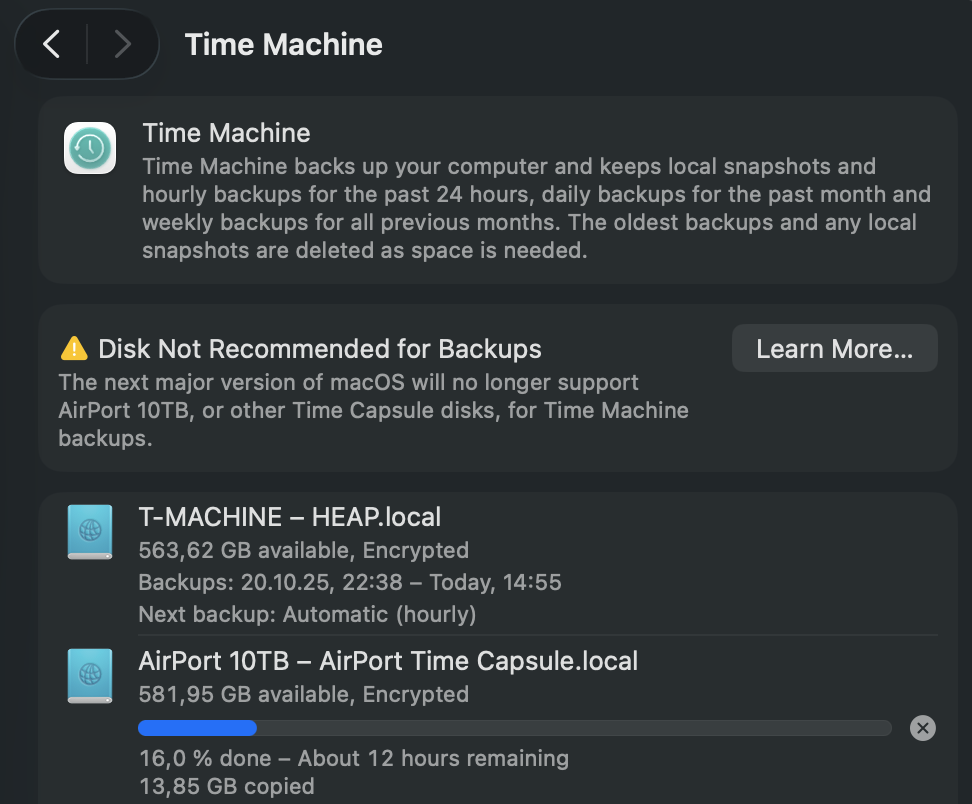
It finally happened — my trusty old AirPort Time Capsule got flagged by macOS. While using Time Machine, I noticed a new warning: “Disk Not Recommended for Backups.”
At first, it seemed odd — the Time Capsule has been the gold standard for Mac backups for over a decade. But a closer look at Apple’s documentation (and network logs) revealed the cause: the Time Capsule still uses AFP (Apple Filing Protocol) to communicate with macOS.
Starting with macOS Sonoma and continuing into macOS Sequoia, Apple has been moving steadily toward deprecating AFP in favor of SMB (Server Message Block) — the same protocol used broadly in modern network file sharing. While AFP worked perfectly for years, it’s now considered outdated, less secure, and incompatible with new Time Machine optimizations that rely on APFS and SMB3 encryption.
In short:
- AFP volumes still work, but trigger warnings in System Settings.
- SMB-based targets (for example, a modern NAS or external drive) are the officially supported backup destinations.
- Apple retired the AirPort line years ago, so firmware and protocol updates simply won’t come anymore.
It’s a nostalgic reminder that even reliable Apple hardware eventually ages out of full support. My Time Capsule still spins and serves, but macOS has clearly signaled: time to move on to a modern backup strategy — like an SMB-capable NAS or an external drive formatted as APFS.
Even I have switched most of my Time Machine targets to high‑speed SSDs, some connected directly and others shared via my QNAP NAS, which serves them seamlessly to my Mac mini. That mini still runs on an M2 chip — though not for long. In just a few days, it will be replaced by a shiny new M4 model, closing yet another chapter in my evolving Apple ecosystem.
(Below: Screenshot of the macOS Settings dialog showing the new AFP-related warning.)
Here is the link to the official Apple Support Page relating to this topic: „Backup disks you can use with Time Machine“
